RPM Time Tracking Errors That Lead to Denials
OnCare360
Jan 1, 2026
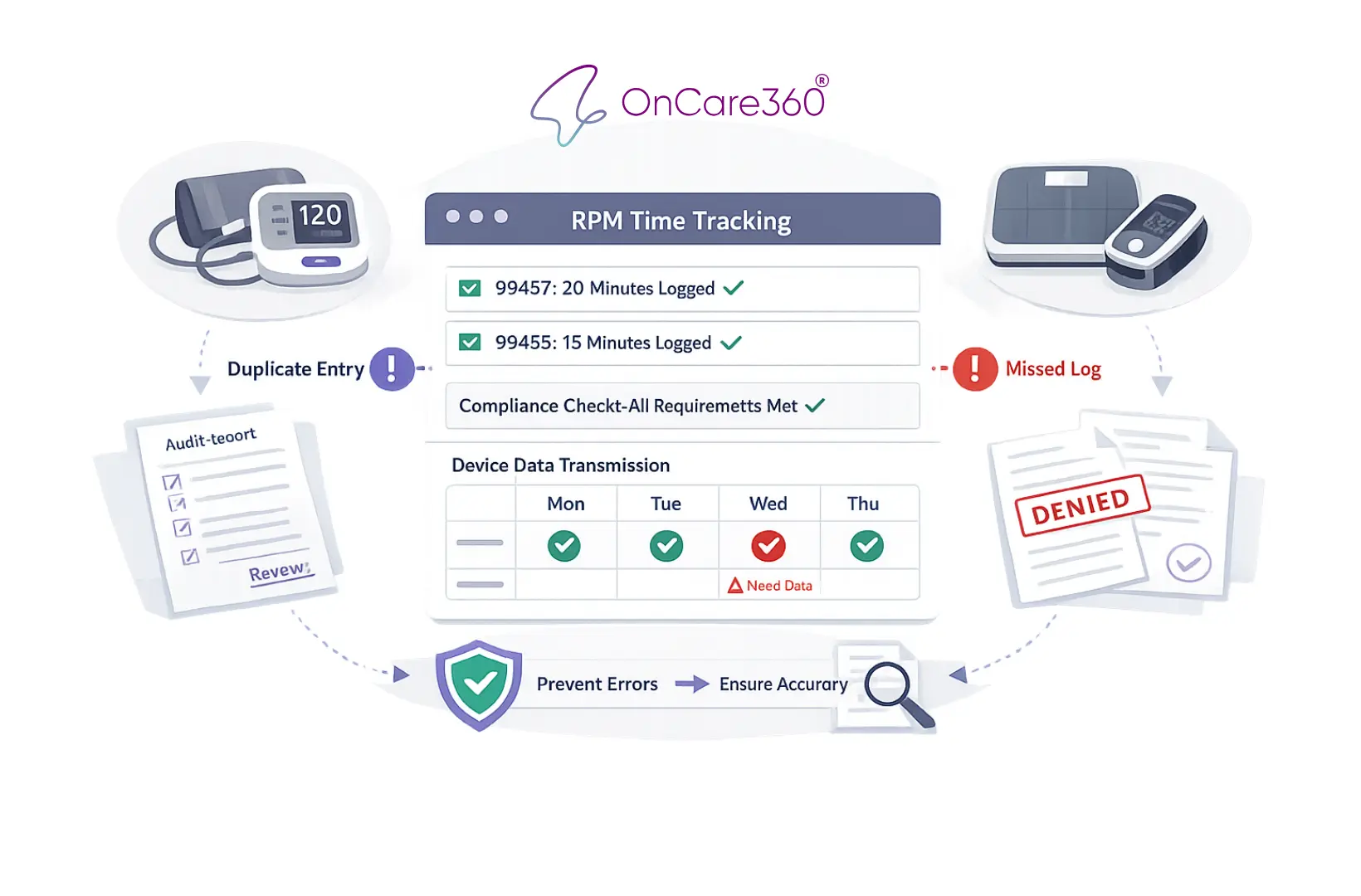
Remote Patient Monitoring (RPM) relies on accurate time tracking and compliance with Centers for Medicare & Medicaid Services (CMS) guidelines to secure reimbursement. Errors such as incomplete logs, missing patient data, or overlapping billing for other care services like Chronic Care Management (CCM) lead to claim denials, lost revenue, and potential audits. These issues disrupt practice operations and increase administrative burdens.
This article explains the most common RPM time tracking errors, including failure to meet the 16-day data transmission rule, insufficient documentation, and duplicate billing. Readers will learn actionable strategies to prevent denials, improve compliance, and safeguard revenue through proper workflows, automation, and staff training.
5 Common RPM Time Tracking Errors That Trigger Denials
5 Common RPM Time Tracking Errors That Cause Claim Denials
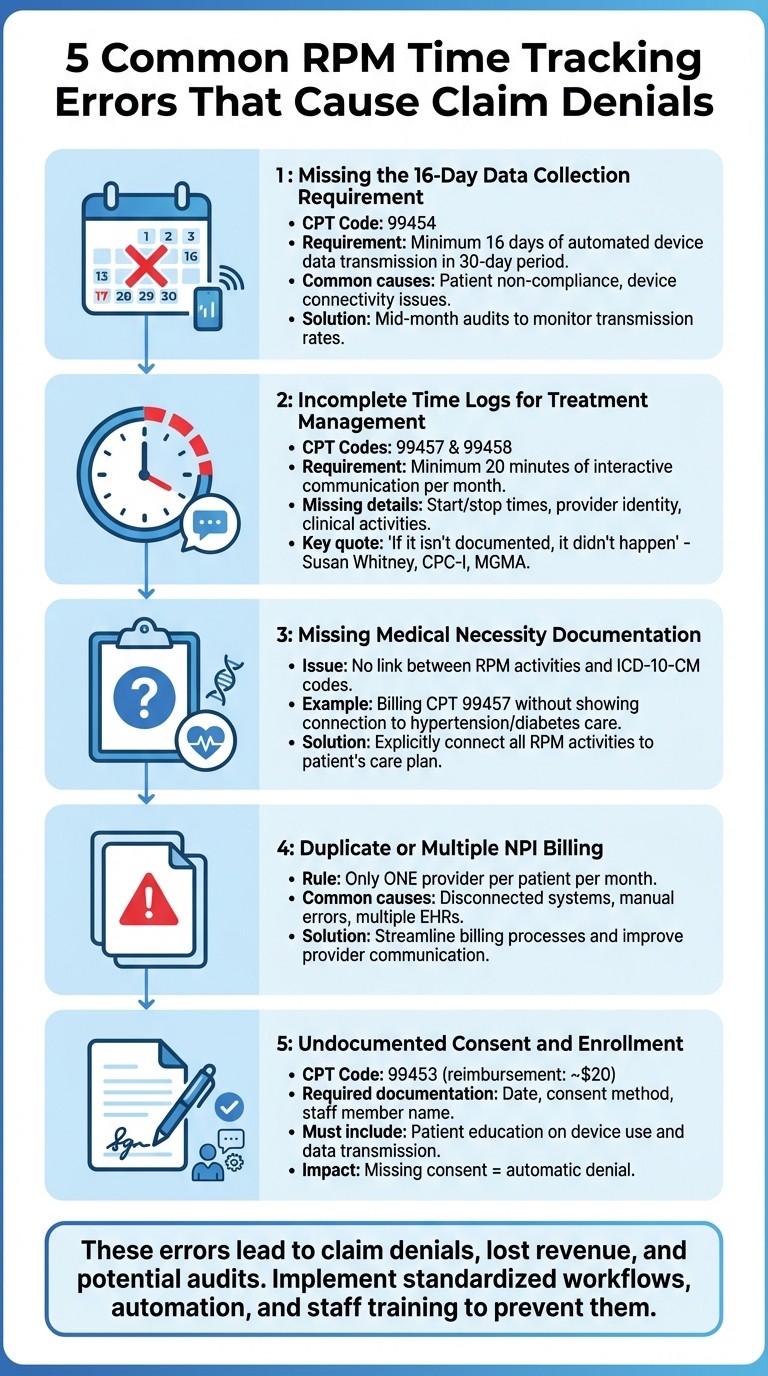
Mistakes in remote patient monitoring (RPM) time tracking can quickly lead to claim denials, impacting both revenue and compliance. Below are five common errors that require attention, along with the specific challenges they pose and ways to address them effectively.
Error 1: Missing the 16-Day Data Collection Requirement
CPT code 99454 mandates a minimum of 16 days of automated device data transmission within a 30-day period. Claims are denied if this threshold isn’t met, regardless of clinical reviews or the quality of care provided. This issue often arises due to patient non-compliance - such as forgetting to wear or charge their devices - or technical problems like connectivity failures.
"RPM claims are denied if devices do not transmit at least 16 days of data in a 30-day period." - OnCare360
To mitigate these risks, practices can implement mid-month audits to monitor transmission rates. Identifying patients who are falling short allows for timely interventions, such as reminders or technical troubleshooting, before the billing cycle ends.
Error 2: Incomplete Time Logs for Treatment Management (CPT 99457/99458)
CPT codes 99457 and 99458 require a minimum of 20 minutes of interactive communication per month. Denials often occur when documentation lacks precise details, such as start and stop times, and instead uses vague descriptions like "lengthy conversation." As Susan Whitney, CPC-I at MGMA, emphasizes:
"If it isn't documented, it didn't happen." - Susan Whitney, CPC-I, MGMA
Time logs must include exact minutes, the provider’s identity, and the specific clinical activities performed. Moreover, when billing for both RPM and Chronic Care Management (CCM) for the same patient, separate time logs are necessary to ensure there’s no overlap in documented minutes. Clear and detailed logging is essential for meeting RPM billing requirements.
Error 3: Missing Medical Necessity Documentation
Payers require clear evidence that RPM services are tied to the care plan for a patient’s acute or chronic condition. Claims are denied if documentation fails to link RPM activities to relevant ICD-10-CM codes. For example, billing CPT 99457 without demonstrating how the 20-minute interaction addressed a condition like hypertension or diabetes will likely result in rejection. Medicare also expects RPM services to end once monitoring is no longer deemed necessary for acute conditions.
To avoid denials, ensure all RPM activities are explicitly connected to the patient’s care plan, with appropriate coding that justifies the medical need for continuous monitoring.
Error 4: Duplicate or Multiple NPI Billing in One Month
RPM claims can only be billed by one provider per patient each month. Duplicate submissions often occur due to disconnected systems, manual errors, or multiple providers attempting to bill for the same patient. These errors are particularly common in practices using multiple electronic health record systems or when care coordination teams lack visibility into billing activities across different provider NPIs.
In addition to duplicate billing, incomplete administrative documentation can also result in denials. Streamlining billing processes and improving communication between providers can help prevent these issues.
Error 5: Undocumented Consent and Enrollment Time
Before starting RPM services, CMS requires documented patient consent, whether verbal or written. Missing or incomplete consent logs lead to automatic denials. For CPT 99453, which reimburses approximately $20, practices must document the date, method of consent, and the staff member involved. Additionally, the initial setup and patient education time must be recorded to validate the billing.
Proper documentation of consent and enrollment ensures compliance with CMS rules. This includes noting patient education efforts, such as instructions on device use and the importance of consistent data transmission. Thorough record-keeping not only secures reimbursement but also strengthens the program’s compliance framework.
How to Prevent RPM Time Tracking Errors
Avoiding errors in time tracking for Remote Patient Monitoring (RPM) involves combining standardized processes, automation, and ongoing staff training. By consistently applying these strategies, practices can reduce claim denials and ensure documentation is always audit-ready.
Create Standard Documentation Workflows
Establishing clear workflows for documentation helps eliminate inconsistencies that often lead to claim rejections. Each RPM interaction should follow a standardized process to capture all necessary details. For instance, during patient enrollment, ensure consent is documented with the date and the staff member's name. For time-based codes like CPT 99457 and 99458, include precise start and stop times, the staff member's name and role, and a detailed account of the clinical activities performed.
Monthly audits are critical for verifying that CPT 99454 requirements are met, such as ensuring at least 16 unique data transmission days. Additionally, adopting a consistent date-of-service practice - whether it's the last day of the month or the day the 20-minute threshold is reached - can help prevent confusion.
"A provider should not submit a claim to Medicare until the documentation is completed. Until the practitioner completes the documentation for a service, including the signature, the claim cannot be submitted".
When billing for both RPM and Chronic Care Management (CCM), separate logs must be maintained to avoid overlapping time. For example, 20 minutes of CCM and 20 minutes of RPM should reflect 40 minutes total in documentation. Waiting until the end of the month to submit claims ensures all time-based increments are accounted for in a single submission.
The next step in preventing errors involves leveraging automation to reduce manual oversight.
Use Automated Time Tracking Technology
Automation plays a key role in capturing accurate time logs, staff roles, and patient activities. Automated platforms assign the appropriate CPT codes based on documented time, minimizing coding errors. These systems also monitor data transmission and alert teams if a patient falls short of the required days before billing.
In addition, automated systems generate detailed audit trails, including clinical observations, alerts, and provider details, which are invaluable during payer audits. They can also verify the interactive communication needed for billing CPT 99457. Real-time compliance alerts notify care teams of missing documentation or out-of-range RPM data, allowing for immediate corrections.
To meet CMS requirements, these platforms should integrate with FDA-compliant devices that automatically upload patient data, ensuring electronic transmission rather than self-reported data. Claim-scrubbing tools can further enhance accuracy by identifying issues like missing NPIs, incorrect date formats, or diagnosis code errors before submission.
Train Care Teams on Billing Compliance
Even with standardized workflows and automation, continuous staff training is crucial. Ongoing education on billing compliance helps reduce errors and strengthens adherence to regulations. During RPM program implementation, establish a formal training policy to ensure all team members fully understand time tracking requirements for CPT codes. Emphasize the importance of real-time documentation - completing records at the time of service improves accuracy.
Staff should be well-versed in specific billing requirements. For example, CPT 99457 necessitates "interactive communication", meaning real-time phone or video conversations, as simple data review without patient contact does not qualify. Similarly, CPT 99454 requires at least 16 days of unique data transmissions within a 30-day period to meet billing criteria.
Regular internal audits and training sessions reinforce compliance and keep documentation ready for audits. Teams should also be trained to maintain distinct logs for RPM and CCM to avoid overlapping time entries, a common cause of claim denials.
How OnCare360 Prevents RPM Time Tracking Errors
OnCare360 tackles the common challenges in RPM time tracking that often lead to claim denials by automating documentation, centralizing workflows, and providing real-time alerts. Its platform meticulously captures all necessary details, from device data to staff activity logs, ensuring claims are accurate and fully prepared for audits before submission.
Automated Time Logs and Compliance Tracking
OnCare360 eliminates manual documentation gaps by automatically recording start and stop times for all RPM activities. It assigns specific staff roles and links activities to relevant ICD-10 codes, creating a detailed audit trail that demonstrates medical necessity. For CPT 99454, the platform actively monitors data transmissions and flags patients who fall below the 16-day threshold before the billing cycle concludes.
Consent documentation is seamlessly integrated at enrollment, capturing both the date and the staff member responsible. Moreover, all FDA-compliant devices used within the platform automatically transmit data, meeting Medicare's requirement for electronic transmission rather than self-reported data.
CPT Code | Billing Requirement | OnCare360 Compliance Feature |
|---|---|---|
99453 | Initial setup and education | Documentation of enrollment and consent logs |
99454 | ≥ 16 days of data in 30 days | Real-time transmission monitoring and threshold alerts |
99457 | 20 minutes interactive communication | Automated time logs with start/stop timestamps |
99458 | Additional 20 minutes communication | Cumulative time tracking and automated code triggering |
These automated features form the foundation for a more cohesive billing workflow.
Unified Monitoring and Billing Workflows
By standardizing documentation, OnCare360 consolidates all RPM-related data into one centralized system. This integration brings together device data, care coordination time, and billing requirements into a single system of record, eliminating the need for care teams to juggle multiple platforms. To further ensure accuracy, the platform tracks which provider has billed for RPM services within a 30-day period, adhering to CMS regulations that limit billing to one provider per patient per month.
Real-Time Alerts and Audit-Ready Reports
The platform’s automated compliance alerts notify care teams immediately when patients fall below required thresholds, such as the 16-day data transmission rule for CPT 99454. These alerts allow timely interventions and patient education before billing cycles close. Additionally, OnCare360 ensures that interactive communication, a key billing requirement for CPT 99457, is properly documented.
OnCare360 also generates detailed, audit-ready reports that simplify the audit process, providing all necessary documentation to support claims during payer reviews. By catching errors early, practices can avoid costly reprocessing fees. These features collectively strengthen submissions, reducing the likelihood of errors before claims are sent out.
"OnCare360 helps practices streamline these programs with automated time tracking, consent management, audit-ready reporting, and compliance alerts." – OnCare360
Conclusion: Protect Revenue with Accurate RPM Time Tracking
As outlined earlier, precise RPM time tracking is essential for maintaining financial stability within remote patient monitoring programs. Missing critical thresholds - like the 20 minutes required for CPT 99457 or the 16-day transmission mandate for CPT 99454 - can lead to revenue loss. Even minor documentation errors can trigger audits, resulting in claim resubmissions or outright write-offs.
The financial implications are clear. For instance, CPT 99457 typically generates an average of $48.14 per patient per month, while CPT 99454 adds about $46.50 per patient. Across a panel of high-risk patients, errors in tracking or reporting can translate into substantial revenue losses. Additionally, underreporting time may prevent practices from billing for additional increments of 20 minutes using CPT 99458, further compounding the issue.
To address these challenges, OnCare360 provides a comprehensive solution. The platform automates time tracking, flags patients who fail to meet transmission thresholds, and generates audit-ready reports before claims submission. It also captures start and stop times while ensuring that consent and medical necessity are properly documented during enrollment.
"Billing processes, steps, and tools can support seamless and successful reimbursement or cause frustration, denied claims, and double work." – Daniel Godla, Founder, ThoroughCare
Ultimately, safeguarding RPM revenue requires a combination of clinical precision and operational efficiency. Practices that implement standardized workflows, train their teams on compliance protocols, and leverage automated tools for time tracking are better positioned to reduce claim denials, accelerate reimbursements, and enhance overall financial outcomes.
FAQs
How can practices ensure they meet Medicare's 16-day RPM data transmission requirement?
To meet Medicare's 16-day data collection rule for Remote Patient Monitoring (RPM), it's essential to establish a clear workflow that ensures at least 16 days of physiologic data are transmitted within each 30-day billing cycle.
Start by deploying FDA-cleared RPM devices that automatically upload patient data to your system. This minimizes the risk of missed transmissions due to manual uploads. Set up alerts to flag any interruptions in data flow, allowing staff to quickly address issues such as device connectivity or patient usage. A simple compliance tracker can also be invaluable, helping your team monitor each patient's transmission days and identify those nearing the 16-day threshold.
Incorporate a daily review of data transmissions into your RPM documentation routine. By automating data uploads, actively monitoring transmissions, and maintaining accurate records, your practice can consistently meet compliance requirements, reduce the likelihood of claim denials, and remain prepared for audits.
How can I document RPM time logs effectively to prevent claim denials?
To prevent claim denials, it's essential to maintain precise documentation of RPM time logs and adhere to Medicare's time requirements, such as the 20 minutes per month threshold for CPT codes 99457 and 99458. Utilizing an automated system can simplify this process by timestamping each interaction, identifying the staff member involved (e.g., clinician, RN), and detailing the activity performed, such as reviewing patient data or offering patient education. Entering this information into the EHR immediately after the service helps ensure accuracy and compliance.
Here are some practical tips to enhance accuracy and avoid errors:
Record in real time: This minimizes mistakes and ensures the data is accurate.
Associate time logs with the correct CPT and POS codes: This step helps validate claims more efficiently.
Calculate total minutes accurately: Ensure the billing period meets the required time thresholds.
Maintain a detailed audit trail: Keep raw timestamp data for at least six years to remain audit-ready.
Implementing these practices can help streamline workflows, improve accuracy, and significantly reduce the chances of claim denials.
How can automation reduce RPM billing errors and improve compliance?
Automation streamlines the complexities of RPM billing by reducing reliance on manual processes prone to errors. It seamlessly integrates device-generated data with the EHR, ensuring precise tracking of monitoring minutes, staff activities, and patient interactions. This functionality supports compliance with critical requirements, such as the 20-minute threshold for CPT 99457, while maintaining a thorough audit trail to meet regulatory standards.
Sophisticated tools further enhance accuracy by validating claims. They cross-check CPT and ICD-10 codes against payer-specific guidelines, identify missing documentation - such as consent forms - and notify staff of approaching deadlines. These features help avoid costly rework and keep denial rates low.
Real-time dashboards provide clear visibility into key metrics, including time logged per patient, enabling teams to resolve issues before claim submission. This leads to quicker reimbursements, fewer denials, and a more reliable RPM program that protects both revenue and compliance objectives.
5 Common RPM Time Tracking Errors That Cause Claim Denials
Mistakes in remote patient monitoring (RPM) time tracking can quickly lead to claim denials, impacting both revenue and compliance. Below are five common errors that require attention, along with the specific challenges they pose and ways to address them effectively.
Error 1: Missing the 16-Day Data Collection Requirement
CPT code 99454 mandates a minimum of 16 days of automated device data transmission within a 30-day period. Claims are denied if this threshold isn’t met, regardless of clinical reviews or the quality of care provided. This issue often arises due to patient non-compliance - such as forgetting to wear or charge their devices - or technical problems like connectivity failures.
"RPM claims are denied if devices do not transmit at least 16 days of data in a 30-day period." - OnCare360
To mitigate these risks, practices can implement mid-month audits to monitor transmission rates. Identifying patients who are falling short allows for timely interventions, such as reminders or technical troubleshooting, before the billing cycle ends.
Error 2: Incomplete Time Logs for Treatment Management (CPT 99457/99458)
CPT codes 99457 and 99458 require a minimum of 20 minutes of interactive communication per month. Denials often occur when documentation lacks precise details, such as start and stop times, and instead uses vague descriptions like "lengthy conversation." As Susan Whitney, CPC-I at MGMA, emphasizes:
"If it isn't documented, it didn't happen." - Susan Whitney, CPC-I, MGMA
Time logs must include exact minutes, the provider’s identity, and the specific clinical activities performed. Moreover, when billing for both RPM and Chronic Care Management (CCM) for the same patient, separate time logs are necessary to ensure there’s no overlap in documented minutes. Clear and detailed logging is essential for meeting RPM billing requirements.
Error 3: Missing Medical Necessity Documentation
Payers require clear evidence that RPM services are tied to the care plan for a patient’s acute or chronic condition. Claims are denied if documentation fails to link RPM activities to relevant ICD-10-CM codes. For example, billing CPT 99457 without demonstrating how the 20-minute interaction addressed a condition like hypertension or diabetes will likely result in rejection. Medicare also expects RPM services to end once monitoring is no longer deemed necessary for acute conditions.
To avoid denials, ensure all RPM activities are explicitly connected to the patient’s care plan, with appropriate coding that justifies the medical need for continuous monitoring.
Error 4: Duplicate or Multiple NPI Billing in One Month
RPM claims can only be billed by one provider per patient each month. Duplicate submissions often occur due to disconnected systems, manual errors, or multiple providers attempting to bill for the same patient. These errors are particularly common in practices using multiple electronic health record systems or when care coordination teams lack visibility into billing activities across different provider NPIs.
In addition to duplicate billing, incomplete administrative documentation can also result in denials. Streamlining billing processes and improving communication between providers can help prevent these issues.
Error 5: Undocumented Consent and Enrollment Time
Before starting RPM services, CMS requires documented patient consent, whether verbal or written. Missing or incomplete consent logs lead to automatic denials. For CPT 99453, which reimburses approximately $20, practices must document the date, method of consent, and the staff member involved. Additionally, the initial setup and patient education time must be recorded to validate the billing.
Proper documentation of consent and enrollment ensures compliance with CMS rules. This includes noting patient education efforts, such as instructions on device use and the importance of consistent data transmission. Thorough record-keeping not only secures reimbursement but also strengthens the program’s compliance framework.
How to Prevent RPM Time Tracking Errors
Avoiding errors in time tracking for Remote Patient Monitoring (RPM) involves combining standardized processes, automation, and ongoing staff training. By consistently applying these strategies, practices can reduce claim denials and ensure documentation is always audit-ready.
Create Standard Documentation Workflows
Establishing clear workflows for documentation helps eliminate inconsistencies that often lead to claim rejections. Each RPM interaction should follow a standardized process to capture all necessary details. For instance, during patient enrollment, ensure consent is documented with the date and the staff member's name. For time-based codes like CPT 99457 and 99458, include precise start and stop times, the staff member's name and role, and a detailed account of the clinical activities performed.
Monthly audits are critical for verifying that CPT 99454 requirements are met, such as ensuring at least 16 unique data transmission days. Additionally, adopting a consistent date-of-service practice - whether it's the last day of the month or the day the 20-minute threshold is reached - can help prevent confusion.
"A provider should not submit a claim to Medicare until the documentation is completed. Until the practitioner completes the documentation for a service, including the signature, the claim cannot be submitted".
When billing for both RPM and Chronic Care Management (CCM), separate logs must be maintained to avoid overlapping time. For example, 20 minutes of CCM and 20 minutes of RPM should reflect 40 minutes total in documentation. Waiting until the end of the month to submit claims ensures all time-based increments are accounted for in a single submission.
The next step in preventing errors involves leveraging automation to reduce manual oversight.
Use Automated Time Tracking Technology
Automation plays a key role in capturing accurate time logs, staff roles, and patient activities. Automated platforms assign the appropriate CPT codes based on documented time, minimizing coding errors. These systems also monitor data transmission and alert teams if a patient falls short of the required days before billing.
In addition, automated systems generate detailed audit trails, including clinical observations, alerts, and provider details, which are invaluable during payer audits. They can also verify the interactive communication needed for billing CPT 99457. Real-time compliance alerts notify care teams of missing documentation or out-of-range RPM data, allowing for immediate corrections.
To meet CMS requirements, these platforms should integrate with FDA-compliant devices that automatically upload patient data, ensuring electronic transmission rather than self-reported data. Claim-scrubbing tools can further enhance accuracy by identifying issues like missing NPIs, incorrect date formats, or diagnosis code errors before submission.
Train Care Teams on Billing Compliance
Even with standardized workflows and automation, continuous staff training is crucial. Ongoing education on billing compliance helps reduce errors and strengthens adherence to regulations. During RPM program implementation, establish a formal training policy to ensure all team members fully understand time tracking requirements for CPT codes. Emphasize the importance of real-time documentation - completing records at the time of service improves accuracy.
Staff should be well-versed in specific billing requirements. For example, CPT 99457 necessitates "interactive communication", meaning real-time phone or video conversations, as simple data review without patient contact does not qualify. Similarly, CPT 99454 requires at least 16 days of unique data transmissions within a 30-day period to meet billing criteria.
Regular internal audits and training sessions reinforce compliance and keep documentation ready for audits. Teams should also be trained to maintain distinct logs for RPM and CCM to avoid overlapping time entries, a common cause of claim denials.
How OnCare360 Prevents RPM Time Tracking Errors
OnCare360 tackles the common challenges in RPM time tracking that often lead to claim denials by automating documentation, centralizing workflows, and providing real-time alerts. Its platform meticulously captures all necessary details, from device data to staff activity logs, ensuring claims are accurate and fully prepared for audits before submission.
Automated Time Logs and Compliance Tracking
OnCare360 eliminates manual documentation gaps by automatically recording start and stop times for all RPM activities. It assigns specific staff roles and links activities to relevant ICD-10 codes, creating a detailed audit trail that demonstrates medical necessity. For CPT 99454, the platform actively monitors data transmissions and flags patients who fall below the 16-day threshold before the billing cycle concludes.
Consent documentation is seamlessly integrated at enrollment, capturing both the date and the staff member responsible. Moreover, all FDA-compliant devices used within the platform automatically transmit data, meeting Medicare's requirement for electronic transmission rather than self-reported data.
CPT Code | Billing Requirement | OnCare360 Compliance Feature |
|---|---|---|
99453 | Initial setup and education | Documentation of enrollment and consent logs |
99454 | ≥ 16 days of data in 30 days | Real-time transmission monitoring and threshold alerts |
99457 | 20 minutes interactive communication | Automated time logs with start/stop timestamps |
99458 | Additional 20 minutes communication | Cumulative time tracking and automated code triggering |
These automated features form the foundation for a more cohesive billing workflow.
Unified Monitoring and Billing Workflows
By standardizing documentation, OnCare360 consolidates all RPM-related data into one centralized system. This integration brings together device data, care coordination time, and billing requirements into a single system of record, eliminating the need for care teams to juggle multiple platforms. To further ensure accuracy, the platform tracks which provider has billed for RPM services within a 30-day period, adhering to CMS regulations that limit billing to one provider per patient per month.
Real-Time Alerts and Audit-Ready Reports
The platform’s automated compliance alerts notify care teams immediately when patients fall below required thresholds, such as the 16-day data transmission rule for CPT 99454. These alerts allow timely interventions and patient education before billing cycles close. Additionally, OnCare360 ensures that interactive communication, a key billing requirement for CPT 99457, is properly documented.
OnCare360 also generates detailed, audit-ready reports that simplify the audit process, providing all necessary documentation to support claims during payer reviews. By catching errors early, practices can avoid costly reprocessing fees. These features collectively strengthen submissions, reducing the likelihood of errors before claims are sent out.
"OnCare360 helps practices streamline these programs with automated time tracking, consent management, audit-ready reporting, and compliance alerts." – OnCare360
Conclusion: Protect Revenue with Accurate RPM Time Tracking
As outlined earlier, precise RPM time tracking is essential for maintaining financial stability within remote patient monitoring programs. Missing critical thresholds - like the 20 minutes required for CPT 99457 or the 16-day transmission mandate for CPT 99454 - can lead to revenue loss. Even minor documentation errors can trigger audits, resulting in claim resubmissions or outright write-offs.
The financial implications are clear. For instance, CPT 99457 typically generates an average of $48.14 per patient per month, while CPT 99454 adds about $46.50 per patient. Across a panel of high-risk patients, errors in tracking or reporting can translate into substantial revenue losses. Additionally, underreporting time may prevent practices from billing for additional increments of 20 minutes using CPT 99458, further compounding the issue.
To address these challenges, OnCare360 provides a comprehensive solution. The platform automates time tracking, flags patients who fail to meet transmission thresholds, and generates audit-ready reports before claims submission. It also captures start and stop times while ensuring that consent and medical necessity are properly documented during enrollment.
"Billing processes, steps, and tools can support seamless and successful reimbursement or cause frustration, denied claims, and double work." – Daniel Godla, Founder, ThoroughCare
Ultimately, safeguarding RPM revenue requires a combination of clinical precision and operational efficiency. Practices that implement standardized workflows, train their teams on compliance protocols, and leverage automated tools for time tracking are better positioned to reduce claim denials, accelerate reimbursements, and enhance overall financial outcomes.
FAQs
How can practices ensure they meet Medicare's 16-day RPM data transmission requirement?
To meet Medicare's 16-day data collection rule for Remote Patient Monitoring (RPM), it's essential to establish a clear workflow that ensures at least 16 days of physiologic data are transmitted within each 30-day billing cycle.
Start by deploying FDA-cleared RPM devices that automatically upload patient data to your system. This minimizes the risk of missed transmissions due to manual uploads. Set up alerts to flag any interruptions in data flow, allowing staff to quickly address issues such as device connectivity or patient usage. A simple compliance tracker can also be invaluable, helping your team monitor each patient's transmission days and identify those nearing the 16-day threshold.
Incorporate a daily review of data transmissions into your RPM documentation routine. By automating data uploads, actively monitoring transmissions, and maintaining accurate records, your practice can consistently meet compliance requirements, reduce the likelihood of claim denials, and remain prepared for audits.
How can I document RPM time logs effectively to prevent claim denials?
To prevent claim denials, it's essential to maintain precise documentation of RPM time logs and adhere to Medicare's time requirements, such as the 20 minutes per month threshold for CPT codes 99457 and 99458. Utilizing an automated system can simplify this process by timestamping each interaction, identifying the staff member involved (e.g., clinician, RN), and detailing the activity performed, such as reviewing patient data or offering patient education. Entering this information into the EHR immediately after the service helps ensure accuracy and compliance.
Here are some practical tips to enhance accuracy and avoid errors:
Record in real time: This minimizes mistakes and ensures the data is accurate.
Associate time logs with the correct CPT and POS codes: This step helps validate claims more efficiently.
Calculate total minutes accurately: Ensure the billing period meets the required time thresholds.
Maintain a detailed audit trail: Keep raw timestamp data for at least six years to remain audit-ready.
Implementing these practices can help streamline workflows, improve accuracy, and significantly reduce the chances of claim denials.
How can automation reduce RPM billing errors and improve compliance?
Automation streamlines the complexities of RPM billing by reducing reliance on manual processes prone to errors. It seamlessly integrates device-generated data with the EHR, ensuring precise tracking of monitoring minutes, staff activities, and patient interactions. This functionality supports compliance with critical requirements, such as the 20-minute threshold for CPT 99457, while maintaining a thorough audit trail to meet regulatory standards.
Sophisticated tools further enhance accuracy by validating claims. They cross-check CPT and ICD-10 codes against payer-specific guidelines, identify missing documentation - such as consent forms - and notify staff of approaching deadlines. These features help avoid costly rework and keep denial rates low.
Real-time dashboards provide clear visibility into key metrics, including time logged per patient, enabling teams to resolve issues before claim submission. This leads to quicker reimbursements, fewer denials, and a more reliable RPM program that protects both revenue and compliance objectives.
Jan 5, 2026
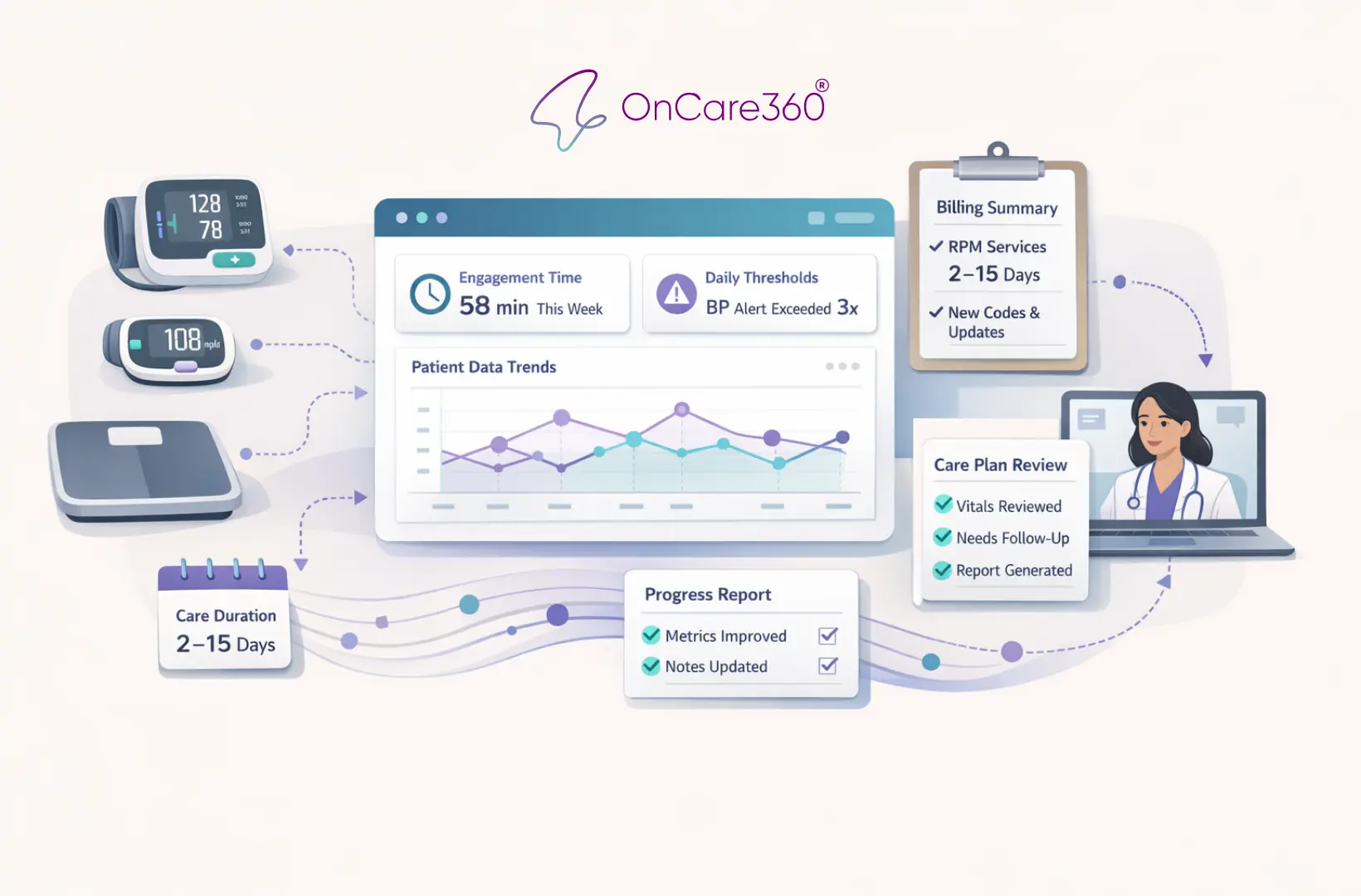
CMS Updates: How RPM is changing in 2026
Jan 3, 2026
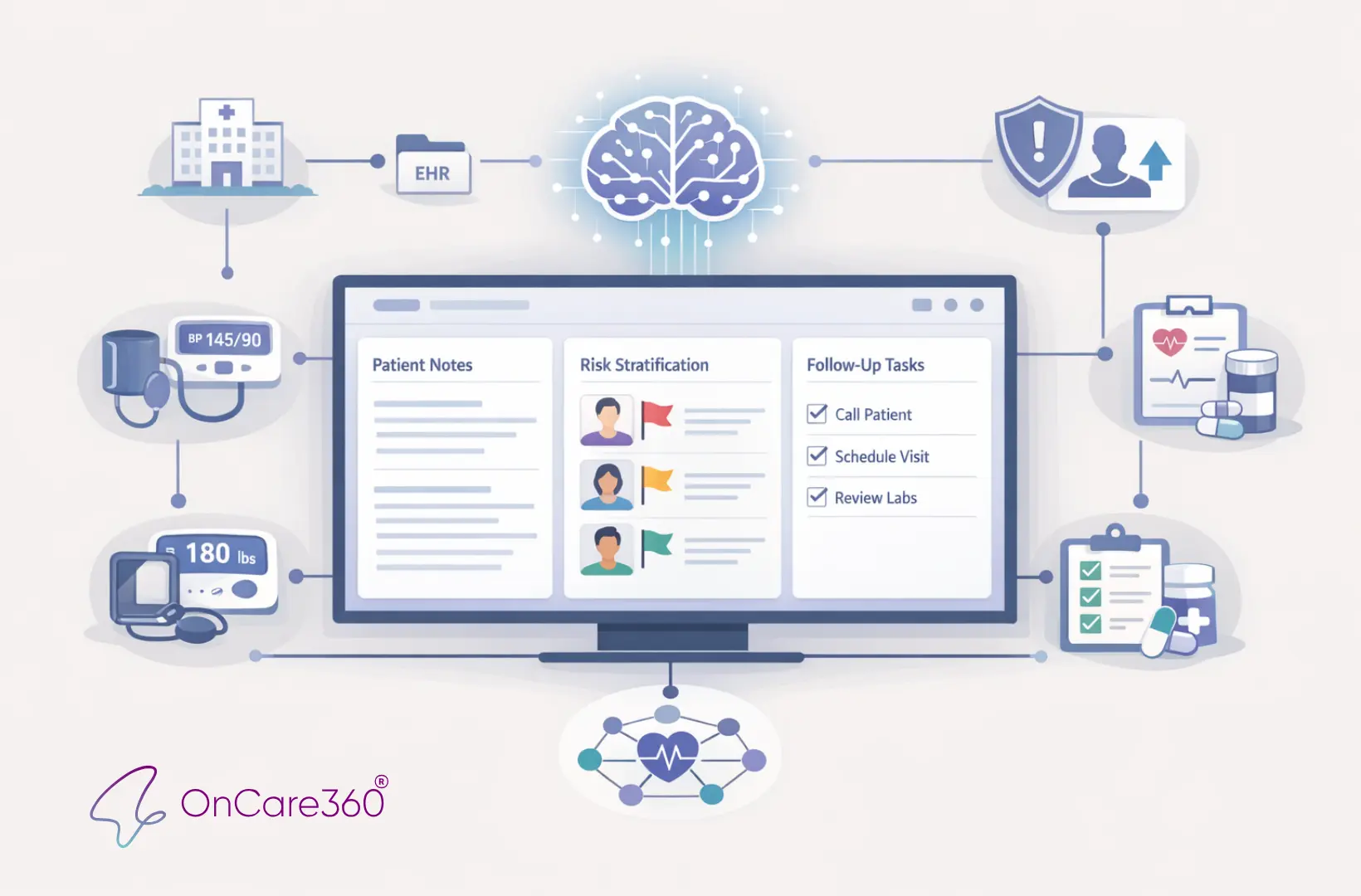
How AI Expands Care Coordinator Capacity
Dec 31, 2025
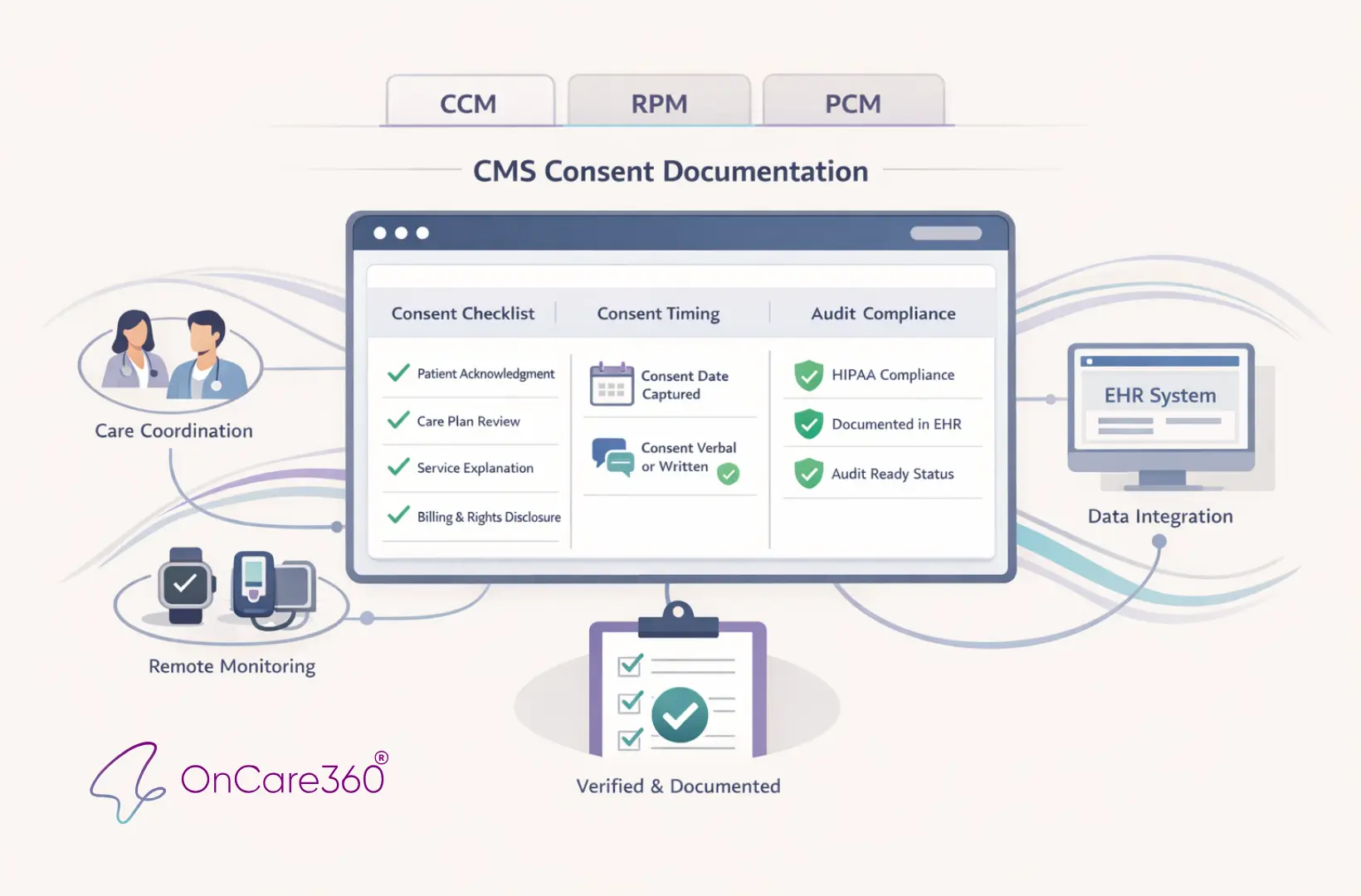
CMS Consent Documentation: What Must Be Captured
Dec 30, 2025
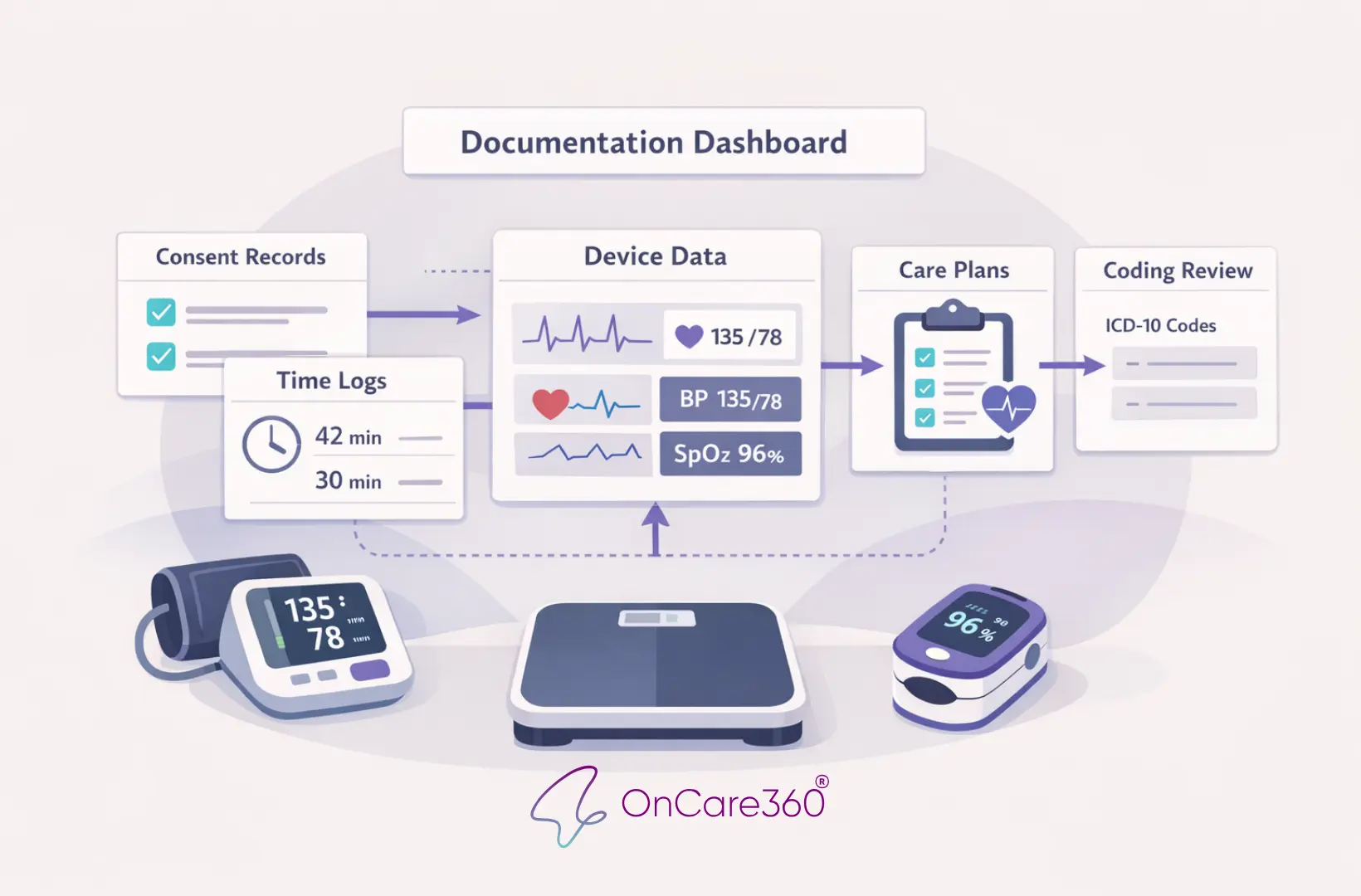
Top 10 Documentation Errors in CCM & RPM
Jan 5, 2026
CMS Updates: How RPM is changing in 2026
Jan 3, 2026
How AI Expands Care Coordinator Capacity
Dec 31, 2025
CMS Consent Documentation: What Must Be Captured
Dec 30, 2025
Top 10 Documentation Errors in CCM & RPM
Dec 29, 2025
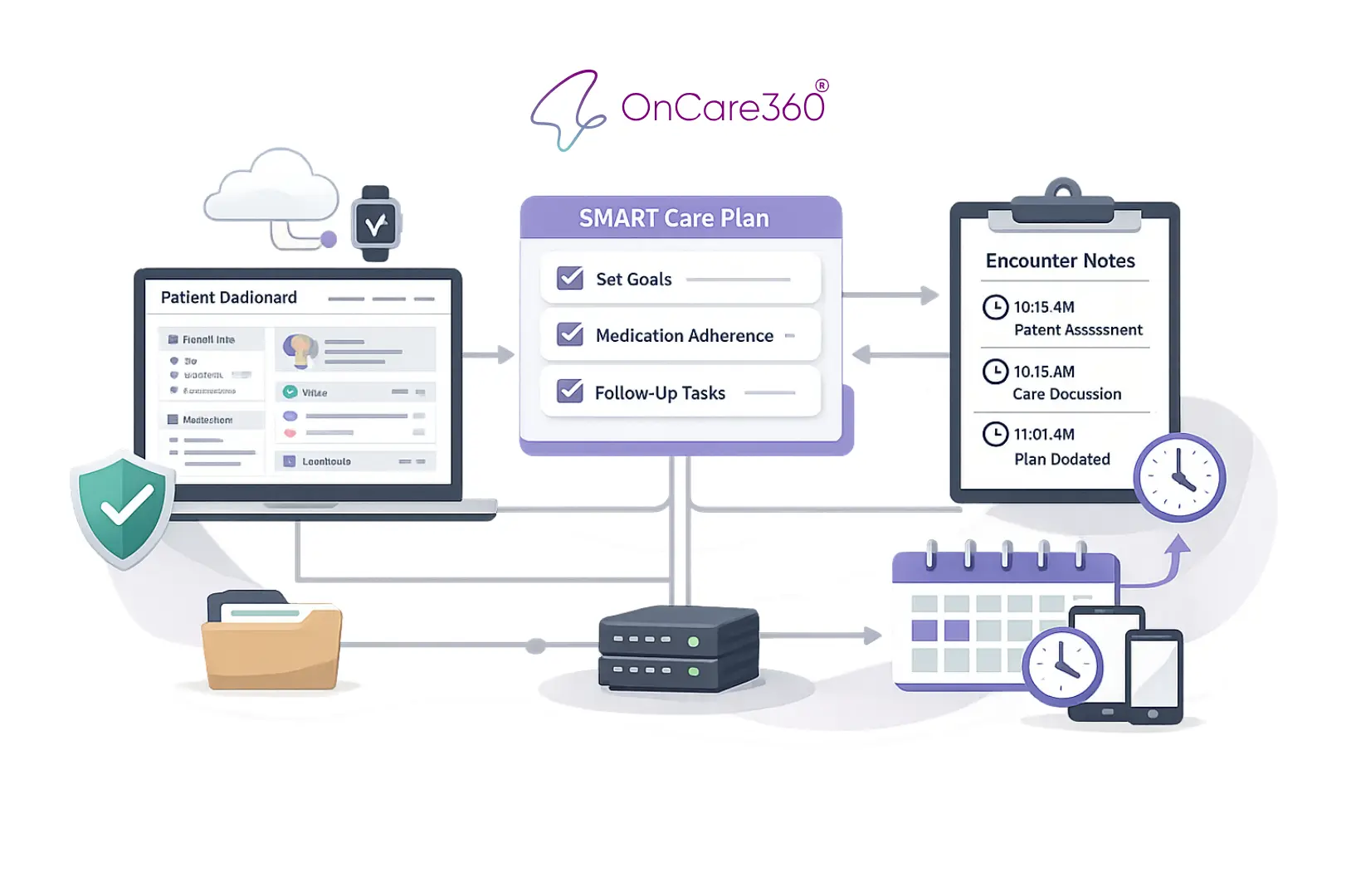
Audit-Ready Documentation: What CMS Expects
Dec 28, 2025
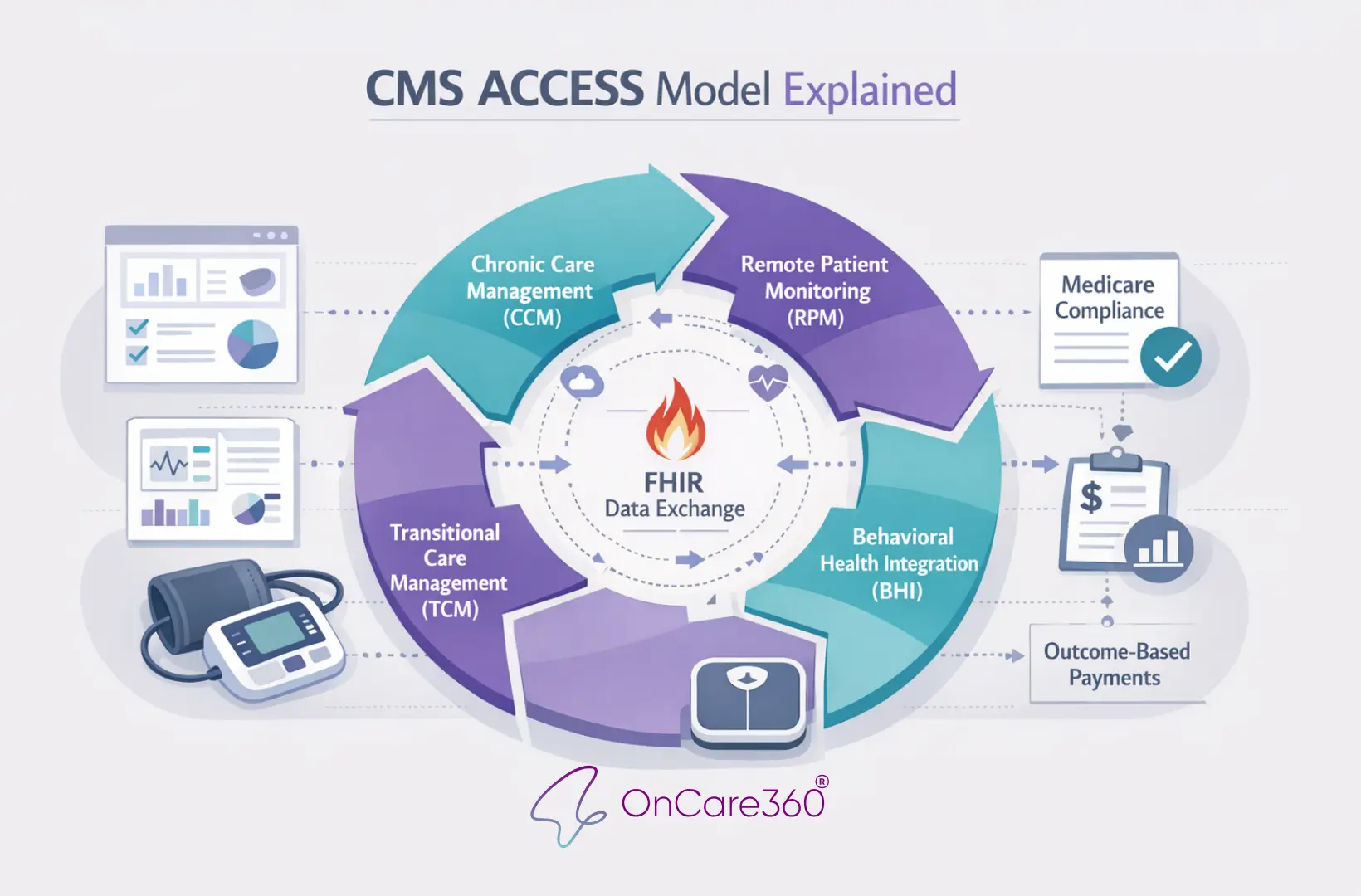
CMS ACCESS Model Explained
Jan 5, 2026
CMS Updates: How RPM is changing in 2026
Jan 3, 2026
How AI Expands Care Coordinator Capacity
Dec 31, 2025
CMS Consent Documentation: What Must Be Captured
Dec 30, 2025
Top 10 Documentation Errors in CCM & RPM
Dec 29, 2025
Audit-Ready Documentation: What CMS Expects
Dec 28, 2025
CMS ACCESS Model Explained


Have questions?
Are you ready to explore the future of healthcare with OnCare360?
Contact us for more information or request a free consultation today.
Have questions?
Are you ready to explore the future of healthcare with OnCare360?
Contact us for more information or request a free consultation today.
Have questions?
Are you ready to explore the future of healthcare with OnCare360?
Contact us for more information or request a free consultation today.
Have questions?
Are you ready to explore the future of healthcare with OnCare360?
Contact us for more information or request a free consultation today.
Have questions?
Are you ready to explore the future of healthcare with OnCare360?
Contact us for more information or request a free consultation today.
Have questions?